Design System, Zero to One
Building Stratifyd's first Design Library that led to faster design-to-ship cycle and more consistent user experience
Impact
In 2 months, I shipped the core design library that transformed Stratifyd's platform consistency and enabled the design team to focus on differentiated user experiences rather than recreating basic components. The system accelerated design-to-ship speed from weeks to days—critical for a startup competing in the fast-moving data analytics software market.
Collaborated with
Product designer, lead front-end engineer
ROLE
Lead Designer
Year
2021
Project Design Process Overview
🤔
Understand the problem
🕵🏻♀️
Audit the existing components
👨🏻💻
Define phases & priority
🎨
Laying the foundations
🚀
Launch the core components
🙌
Cross-Functional Collaboration
📈
Rollout & Adoption
🎨
Continue iterating & contributing to the system
The Problem
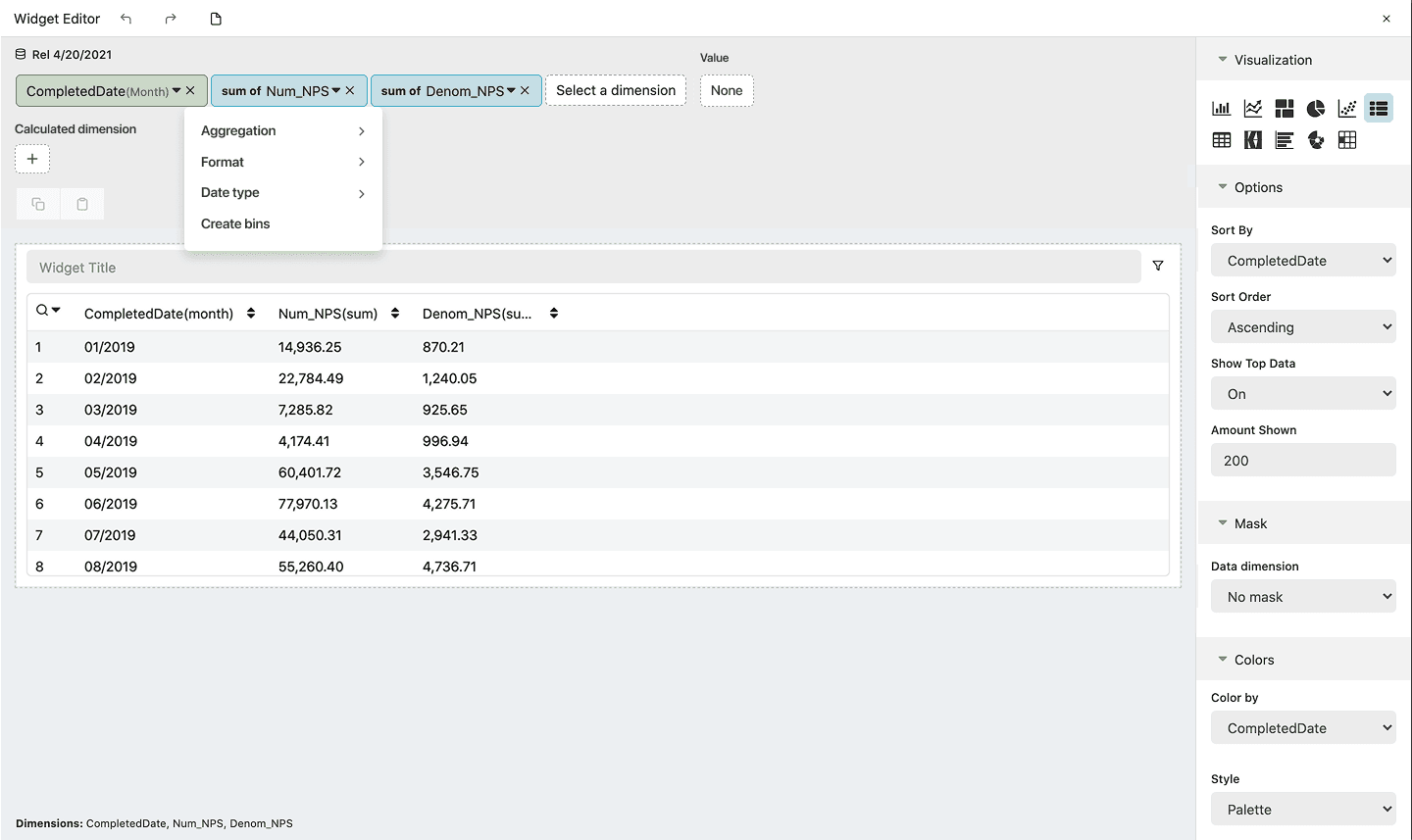
Stratifyd, like many fast-growing startups, faced the classic trade-off between speed and consistency. Our data analytics platform had evolved rapidly to meet market demands, resulting in a patchwork of interface patterns that created multiple business risks:
Operational Inefficiency
Designers spent 70% of their time recreating buttons, forms, and basic components instead of solving complex user problems. Each new feature required extensive time applying the correct colors, spacing, and interaction patterns from scratch.
User Experience Fragmentation
Users encountered different button styles, inconsistent color usage, and varying interaction patterns across features, creating cognitive overhead that reduced platform adoption and user satisfaction.
Engineering Burden
Developers maintained multiple versions of similar components, increasing technical debt and slowing feature development cycles—particularly critical for a startup needing to iterate quickly based on customer feedback.
Scaling Constraints
Without systematic design foundations, onboarding new team members required extensive context-building around existing patterns, and maintaining design quality became increasingly difficult as the team grew.
Competitive Pressure
Our customers—enterprise brands analyzing consumer sentiment—required sophisticated data visualization tools delivered at startup speed. Design inconsistency was becoming a barrier to enterprise sales, as prospects compared our platform unfavorably to more established competitors with polished, systematic interfaces.
Phased Implementation Strategy
Rather than attempting to fix everything at once—a classic startup mistake—I developed what I called the "triage strategy." I identified the components that appeared most frequently across our platform and developed a 3-stage prioritization framework that balanced immediate business needs with long-term scalability:
Stage 1: Component Inventory Audit & Prioritization (Month 1)
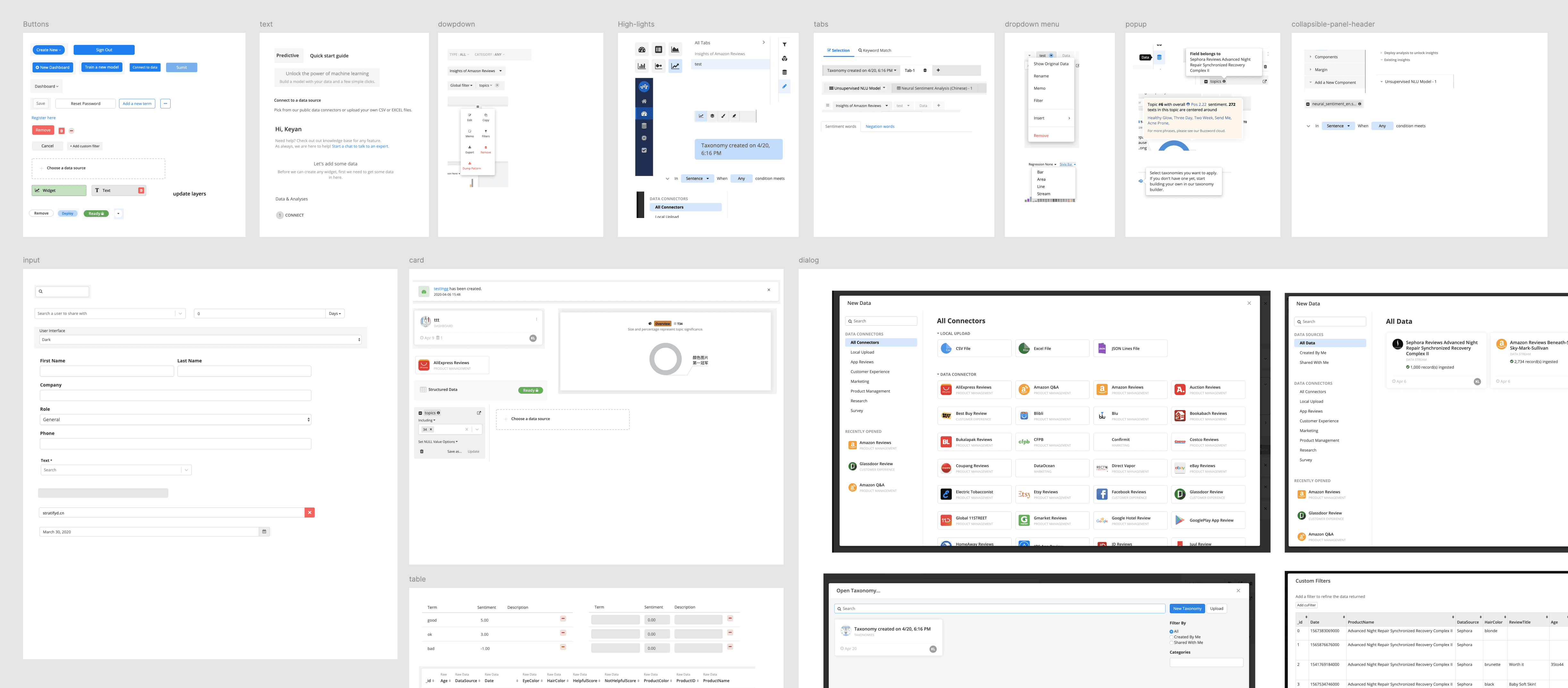
Conducted comprehensive audit of existing UI patterns across major flows and product areas
Catalogued component instances revealing issues such as excessive button variations and inconsistent color usage
Prioritized highest-impact components: buttons, forms, dialogs, tables, lists, cards, tooltips, dropdowns, progress indicators
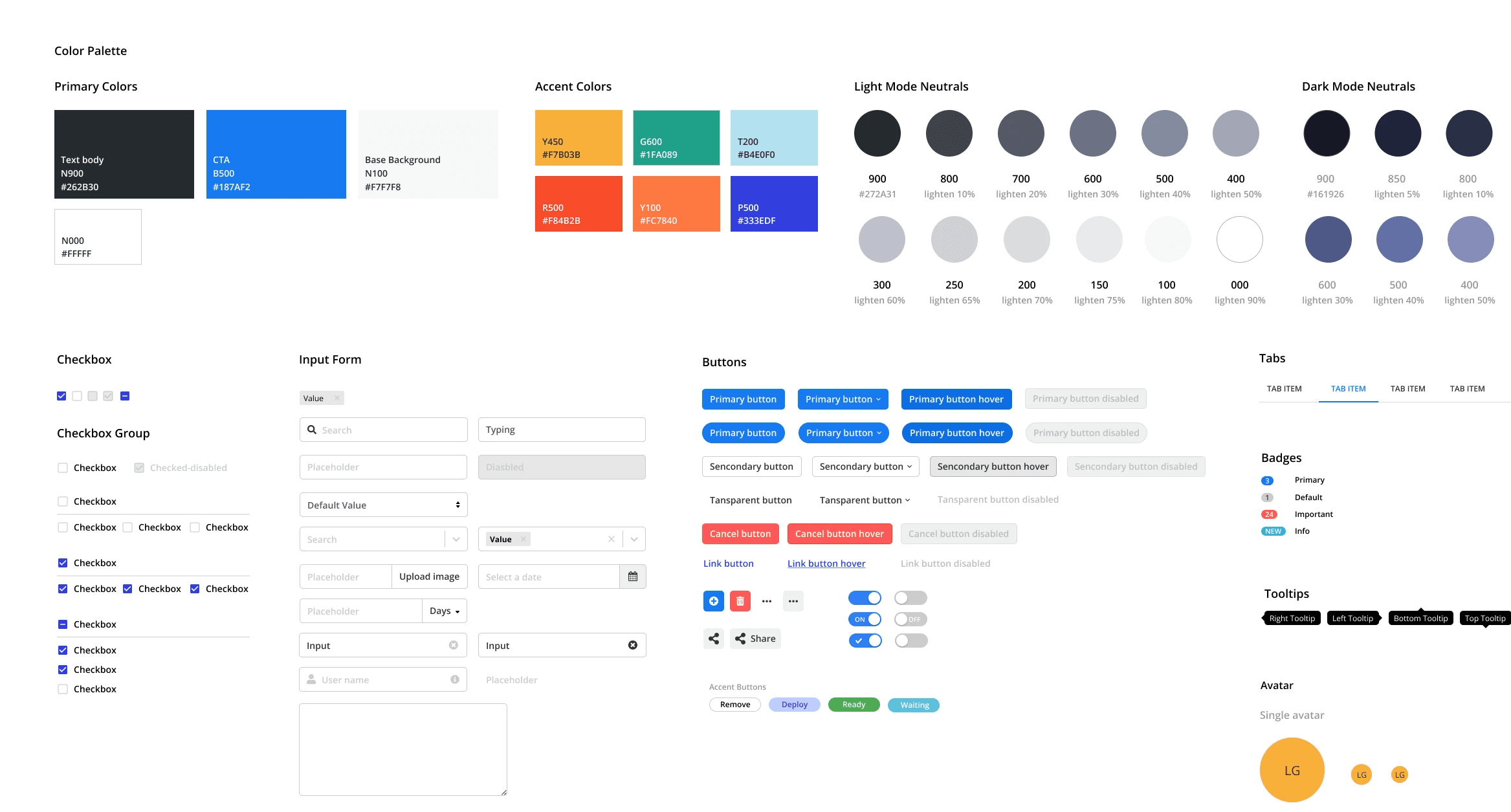
Stage 2: Building the Foundation & Color System Unification (Month 2)
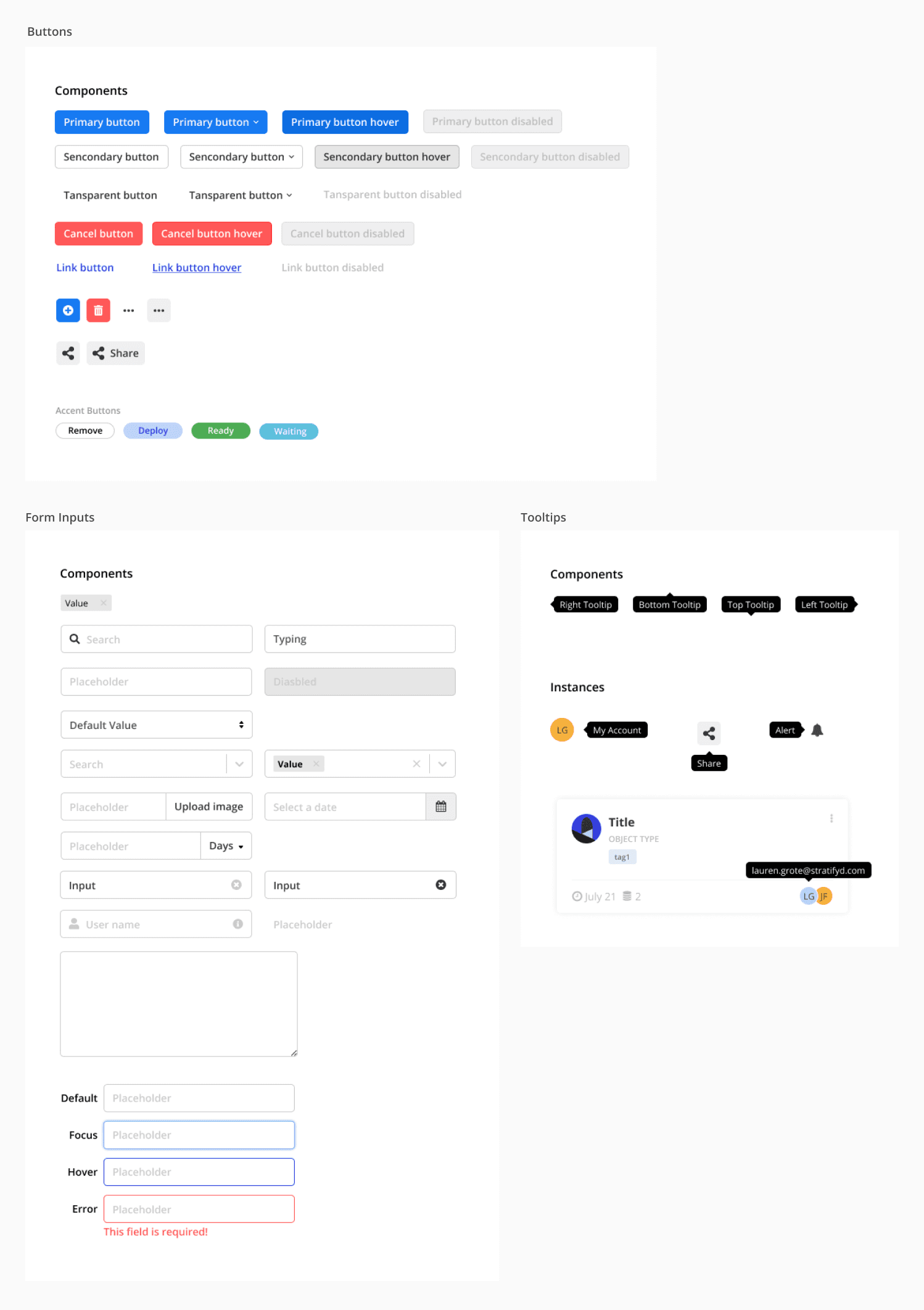
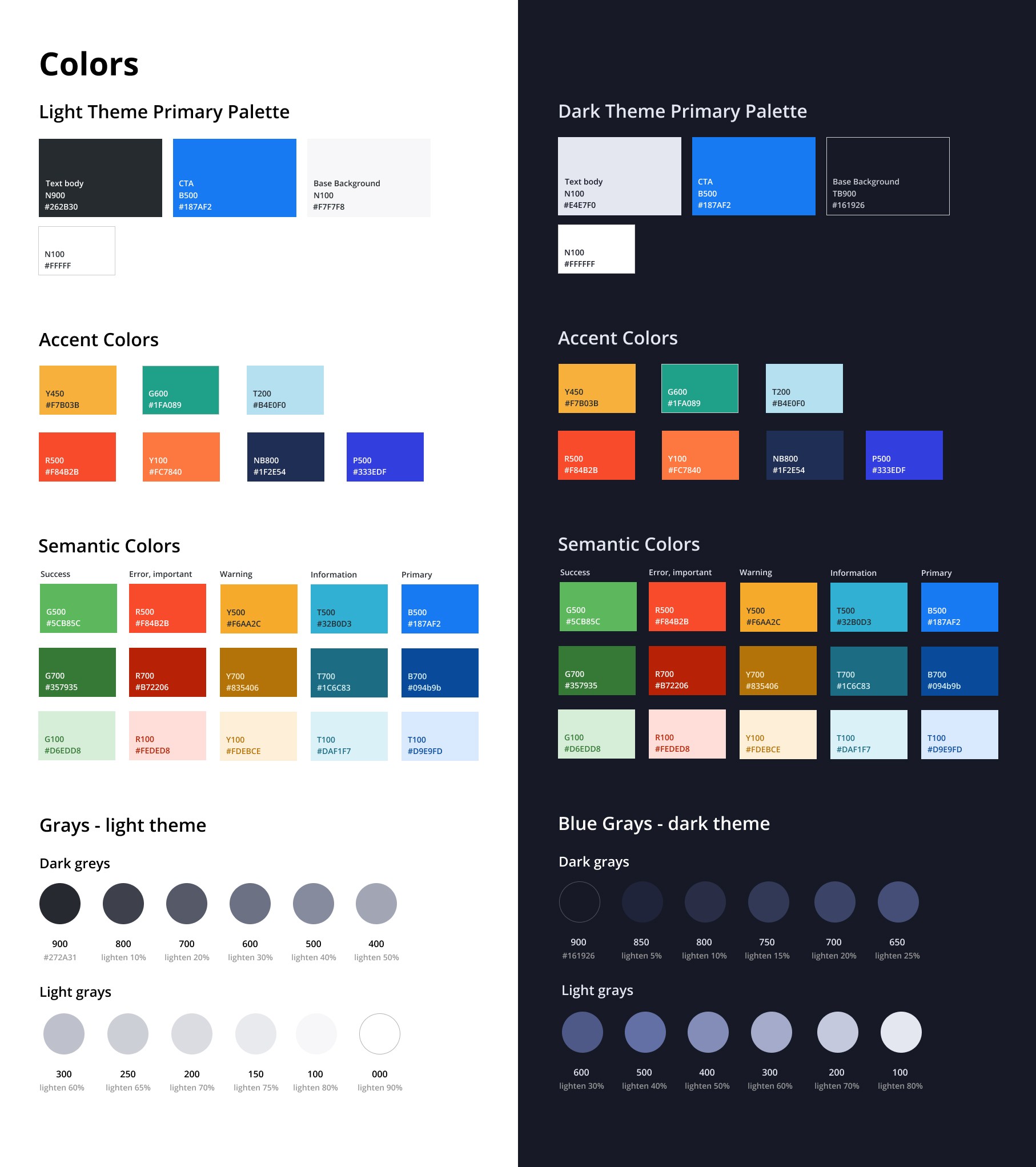
Eliminated the redundant component variants and designed comprehensive state definitions (default, hover, active, disabled, loading) for each component, reducing engineering questions and ensuring consistent interactions across the platform.
Merged the new branding colors with existing platform colors to ensure consistent branding across marketing and the actual platform experience
Tested unified colors across mockups to ensure accessibility for both dark mode and light mode
Stage 3: Guidelines & Usage
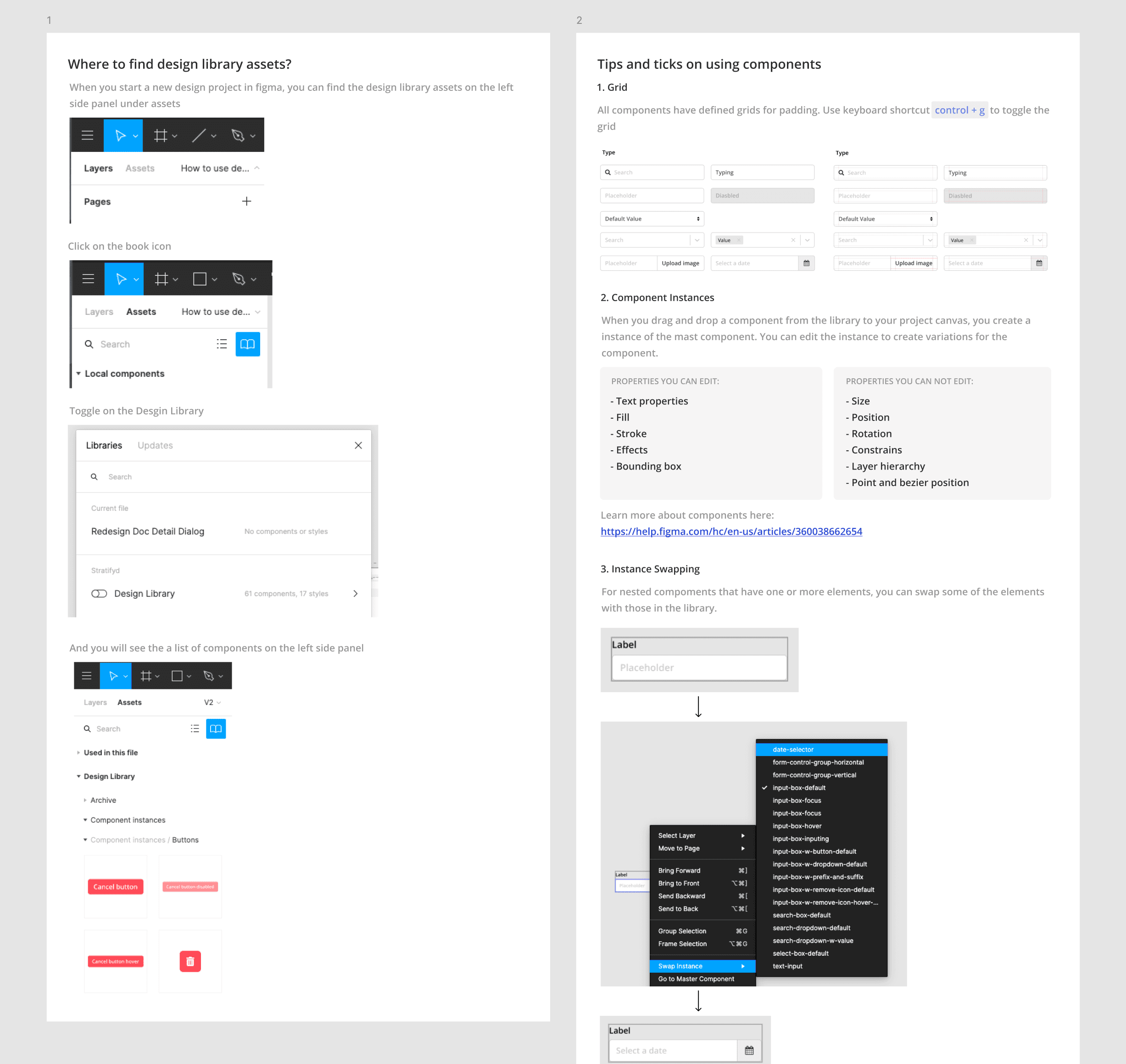
Provided guidelines for designs on how to use and contribute to the component library
Partnered with engineers on the implementation of the components
Planed to build a comprehensive component guide for developers, however, due to shifts in company priorities and limited resources with a small team, the team decided to deprioritize it
Cross-Functional Collaboration & Leadership
Since we were a small and flat-structured team, it's relatively easy to get buy-in and alignment within the team. However for a small team, the challenge was limited time and resources, so to ensure the design library gets the attention it deserves, I put a few things in place to help the team to be productive.
Early Engineering Partnership
Since the beginning of the project, I partnered with our director of the font-end engineering to understand how our styles were set up in the code and the best way to align design and code.
Weekly Component Sync Meetings
I initiated the weekly meetings for the team to check in on progress for the design library, ensuring the work stay on-track and all stakeholders were up-to-date on the progress
Adapting Priority & Company Needs
When company strategy shifted mid-project, I adjusted the roadmap that initially set out to deliver maximum value with available resources. By focusing on the highest-impact components and most needed guidelines first, I ensured the team could immediately benefit from consistency improvements while preserving the foundation for future expansion.
Results & Learnings
After launch of the design library, the team was able to immediately integrate the new components and style guide through high-visibility feature redesigns, delivery more consistent and elevated experience for customers. It also created the infrastructure necessary for rapid feature development while maintaining design quality—critical for a startup needing to iterate quickly based on enterprise customer needs and market changes.
Wins
Based on the feedbacks from the internal team members, the design library helped:
Improved Design & Development Productivity
reduction in time spent on basic component decisions, enabling the design team to focus on strategic UX challenges that drive business impact
faster design-to-ship speed for common interface patterns
reduction in design-engineering handoff questions
decreased technical debt through systematic component reuse
Built Competitive Advantage and Scaling Foundation
consistent interaction patterns reducing user cognitive load
more professional, trustworthy, and systematic interface supporting enterprise sales conversations
serve as the foundation for scaling the business
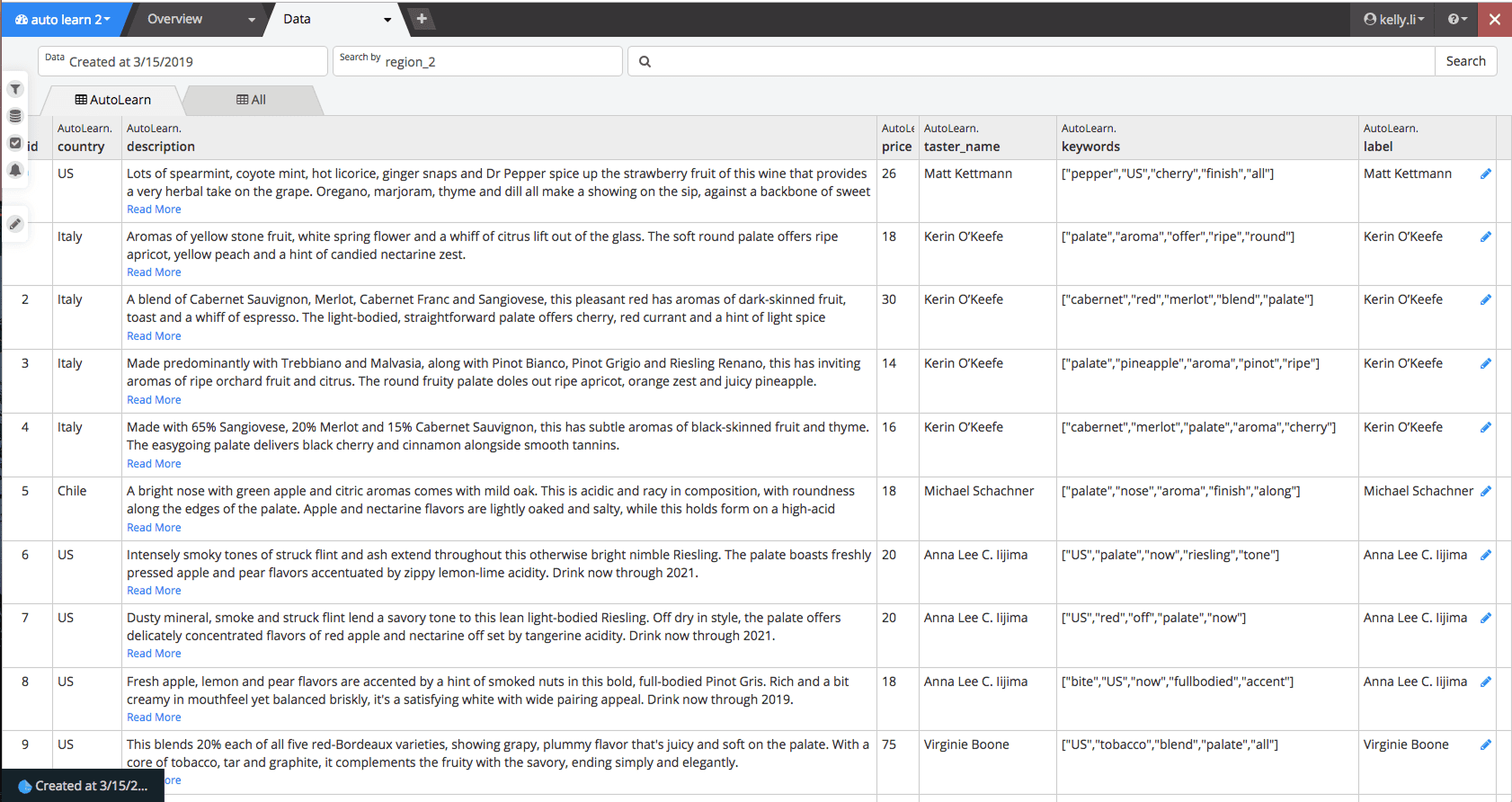
Before design system
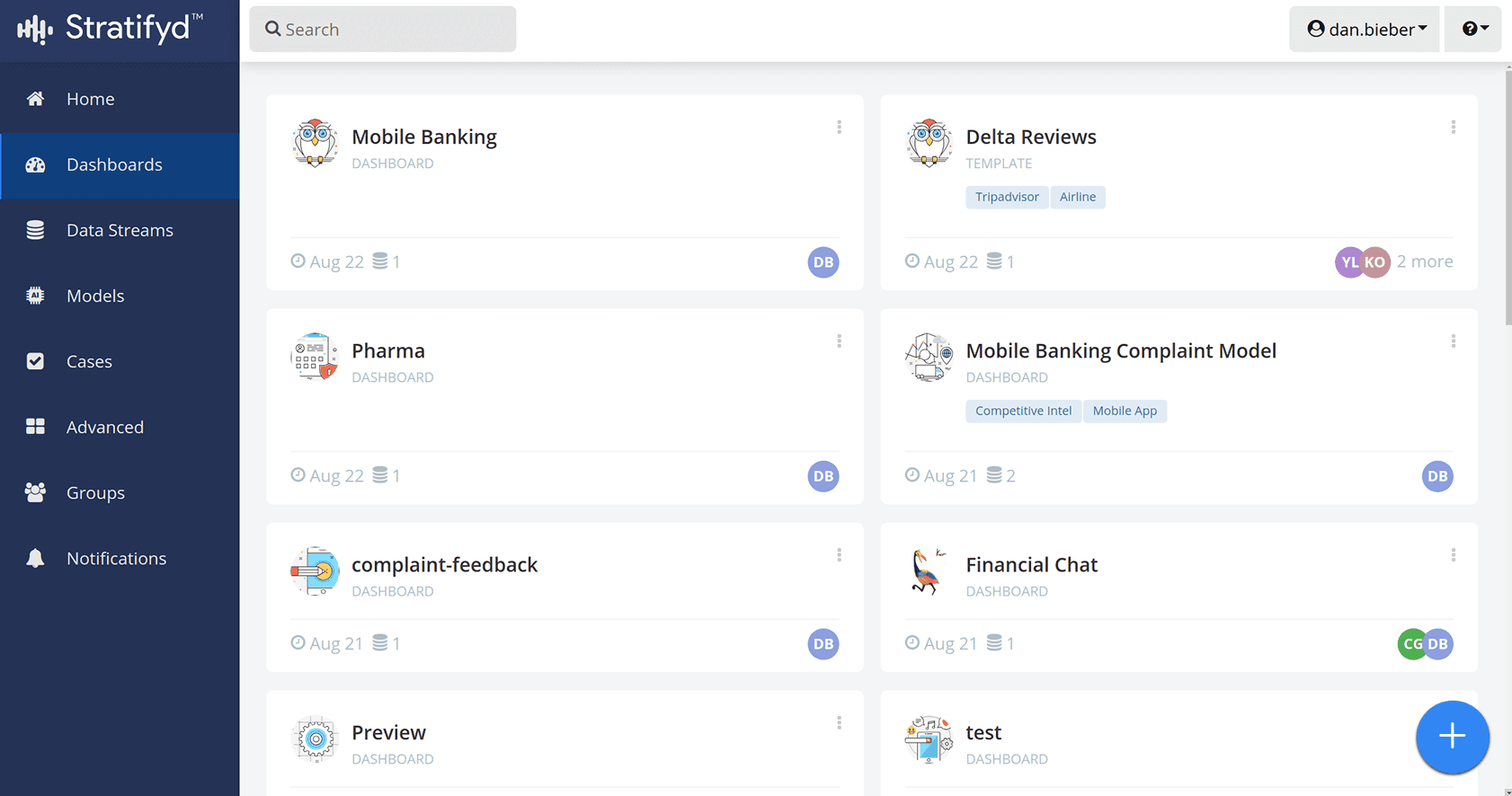
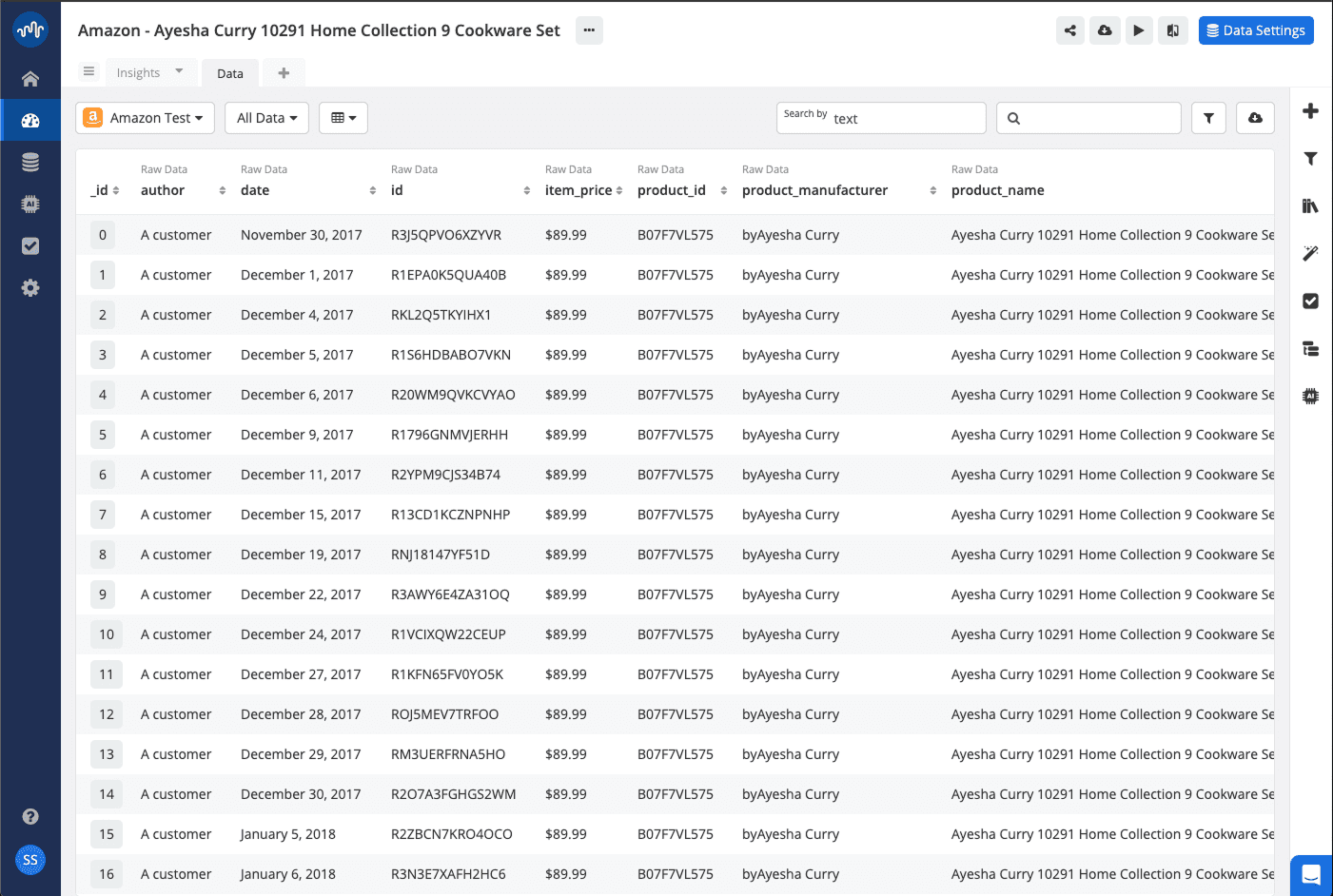
After design system
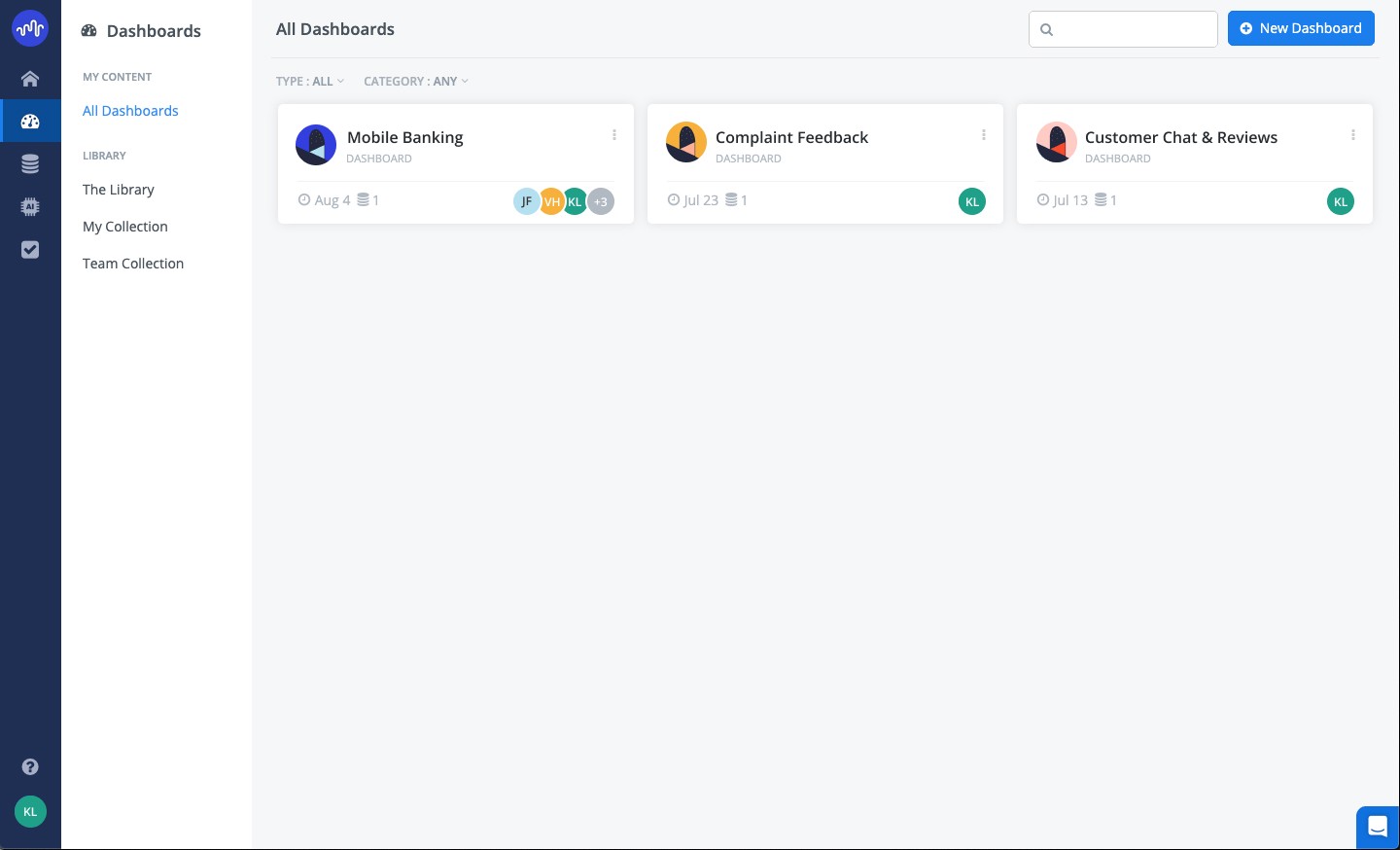
Before design system
After design system
Before design system
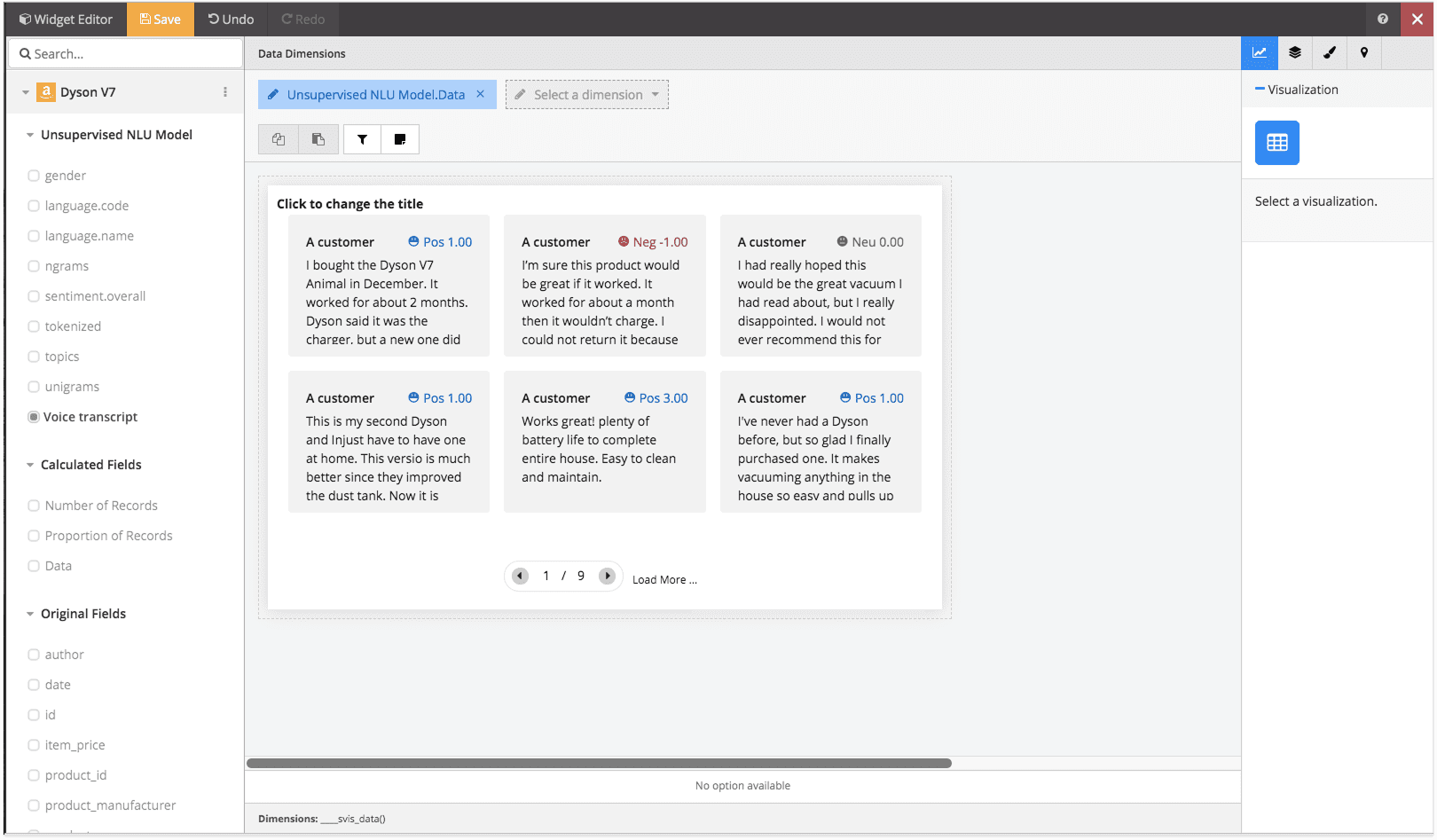
After design system